
Override the QoS Priority in the WLAN Configurations page by selecting Override QoS and choosing Wireless Access Class from the dropdown menu.
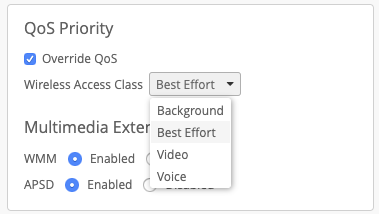
For QoS override, on downstream (AP->Client), traffic gets marked with whatever QoS override Access Class value that is set. For upstream (Client->AP) the marking from the client is trusted (not modified).